
Allows easy uploading and updating of a Family Historian Website.
Please read the help for detailed instructions.
When run it builds a database of the pages and on a second run only uploads the pages which have changed.
Note: If you include the current date in the pages this will class as all pages having changed.
V1.1 Fix Module Loader problem
V1.2 If one File Fails give option to continue upload.
V1.3 Change ftp.lua module to use “PASV” for rootsweb. Fix “DELE” source ‘no such file’ error. Fix ‘Cancel’ from settings prompt. Handle subfolders. Allow prime ‘ in settings. Other minor fixes. All commented with — V1.3 (Thanks Mike)
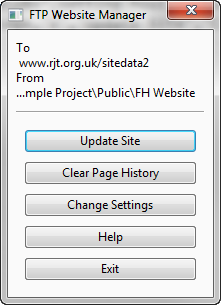
Download FTP Website Manager V1.3
- Family Historian Version(s): V5 V6
- Plugin Type: Standard
- Written by Jane Taubman
- View Source Code
- Downloaded 316 times
- See Help page for more information
I downloaded and installed the plugin and the plugin appeared in the plug in list. When I attempted to run it I had
The issue with Parallels, suggests there was an issue downloading the additional modules required. Please contact the Plugin Author for support.
I have upgraded to Parallels Desktop 7 and successfully downloaded the missing module.
Unfortunately, when I run this plugin, it initially appears to work then suddenly pops up with:-
Jane,
I’m trying to get the ftp plugin working. The plugin fails to make the connection. The working settings from my existing ftp program FileZilla are:
Host: http://ftp.shortland.info
Port: Blank
Default Remote Directory: /web
Logon Type: Normal
User: shortland.info
Password: ***
Can you think of anything that might be wrong?
Nick.
Hello Jane
I’ve just downloaded this plugin and tried to run it but get the message “The plugin requires luasql support……” but when I click “ok” to download the module I get the error message “An error occurred in Download please try later.” I am running FH on a mac via Crossover. Is this the problem?
Many thanks
Unfortunately it was not possible to upgrade this plugin to FH 7 as changes in the FTP protocol at many ISPs means it is not possible to do SFTP with the tools available to the plugin.