Move Note URL to Rich Text Web Link

V1.3

Convert any Note or Text From Source fields with an unformatted URL and optional codes into the Rich Text active Web Link <web="URL"> format. On completion, the plugin will optionally list all the converted URL in a Result Set. The plugin handles the http://, https://, and ftp:// URL protocol formats with safe, reserved, unreserved, and most unsafe characters. This is useful for GEDCOM exported from FTM 2019 where Source Citations have Web address URL held in _LINK tags that are imported by FH into local Note fields. The plugin will convert them to Rich Text active Web Link format. Another use is for handling custom attribute facts with auto-created local Note text containing URL as explained below. The Tools > Fact Types... command must be used to define a custom attribute in which the Fact Definition dialogue, Advanced... button, Auto-Create Note: field, specifies a URL with a format such as: See https://www.familysearch.org/tree/person/details/{value}/ "{individual's} {value} FamilySearch" page. When the custom attribute is added to an Individual, that text is automatically inserted into the local Note field and the user enters the attribute value, which is the unique part of the website URL. The plugin converts that URL and the {value} and {individual's} codes to the Rich Text active Web Link format such as: See <web="https://www.familysearch.org/tree/person/details/LH3-6Y/","John Smith's LH3-6Y FamilySearch"> page. That is displayed in the Note text as: See John Smith's LH3-6Y FamilySearch page. The requirements are:

  • The Note or Text From Source fields need valid URL that start with https:// or http:// or ftp://.
  • Each URL may optionally be followed by one space and some display text enclosed in "string quotes".
  • Any individual attribute local Note may include the code {value} to be replaced by the fact attribute value. If there is a {value} code, but no fact attribute value, then the Note is not converted.
  • Any individual fact local Note may include the codes {individual} and {individual's} to be replaced by the record Name.
  • There may be more than one of any of the above.
For further support please post in the Family Historian User Group forums or Family Historian at Groups.io email where the plugin author will answer your questions which can be supplemented with screenshots if necessary.

Family Historian Version(s): V7

Add Notes

V1.6

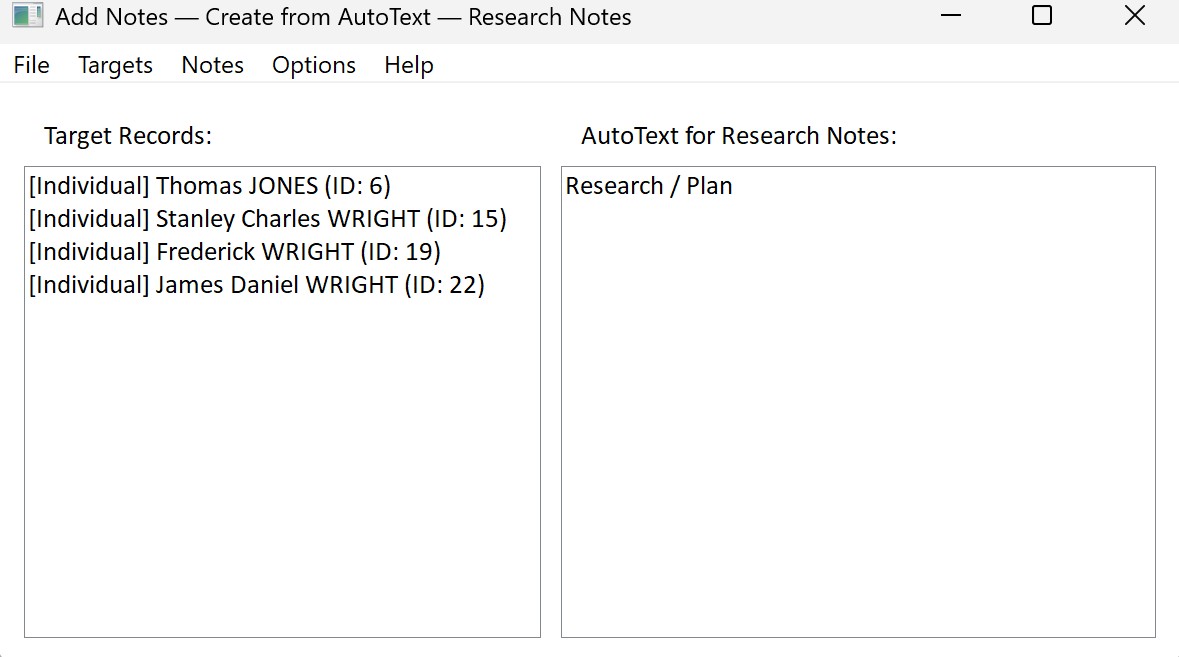
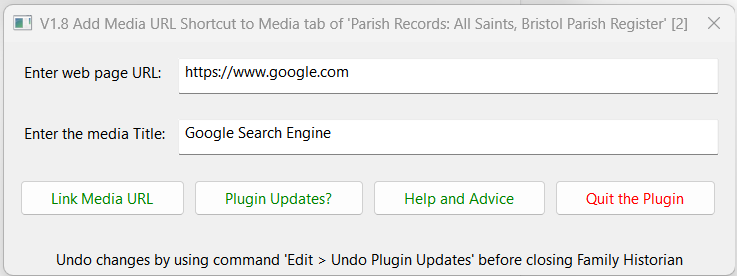
The Add Notes plugin helps you quickly link notes to multiple records in your Family Historian project. Instead of manually adding notes one by one, you can: [su_list icon="icon: check-square-o"]

  • Bulk link existing notes to many records at once
  • Create tailored notes from templates for each target record
  • View and edit notes and templates directly within the plugin
[/su_list]

Family Historian Version(s): V7

Backup and Restore Family Historian Settings via Windows

V3.0

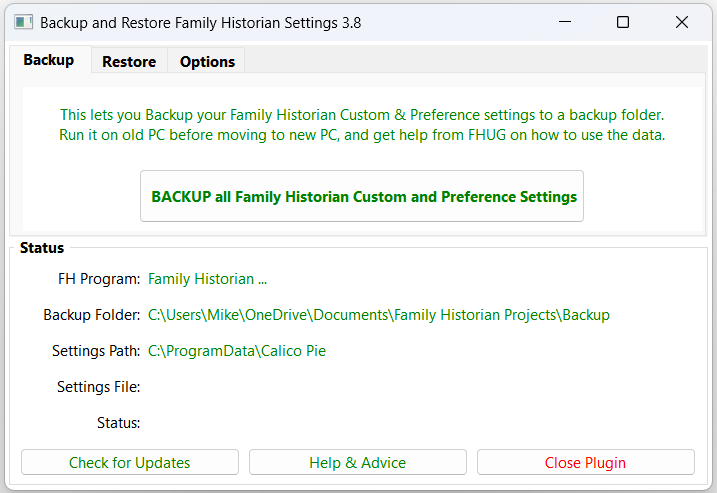
This plugin provides a simple and convenient method for backing up and restoring Family Historian custom settings and features, such as Plugins, Custom Queries, Fact Sets, Language Packs, etc, using Windows scripts for file management.  This gives a faster backup than using traditional plugin methods, and can be used either for restoring to the original PC or transferring all customisations to a new or additional PC. No prior knowledge of Windows scripting is required to use the plugin, as all menu options are presented in familiar everyday language.  However, they provide a template for technically-minded users to develop more sophisticated backup routines, such as single-click backups activated from a desktop shortcut, or even regular unattended backups that run automatically in the background to a defined schedule. The plugin is designed for ease of use, with a minimum of configuration options in a simple and streamlined interface.  Family Historian 7 custom fonts and zoom levels are fully supported, with no additional configuration required.

Family Historian Version(s): V5 V6 V7

Ancestry Synchronization

V2.7

Manages a process whereby an extract of the Family Historian project is kept synchronized with Ancestry to give continuity in hint generation, with a simple optional process for completely removing any reference to living or other private individuals. Updating an Ancestry tree via a new GEDCOM file resets the record of which hints have been processed. However, if the update is carried out via an intermediate application that synchronizes with Ancestry, the hint history is fully preserved between updates. This plugin links to RootsMagic 11 or later to ensure that the RootsMagic extract is an exact copy of the relevant facts in Family Historian. This extract is then uploaded to Ancestry using the TreeShare function within RootMagic. The full version of RootsMagic is required to keep the tree updated and preserve your hint history, but the free Essentials version can be used for a one-off upload. Ancestry no longer support linking with RootsMagic versions 9 and 10. The plugin will continue to synchronise with these older applications, but the subsequent Ancestry upload will no longer function. Note that there is by design no facility to transfer new information from Ancestry hints or other changes back to Family Historian. It is a one-way transfer of data, and all updates are made in Family Historian to prevent any project corruption arising from incompatibilities between the three applications.

Family Historian Version(s): V7

Find Duplicate Individuals

V3.9

Finds potentially duplicated Individual records by comparing the Names and key Events of selected Individuals and their immediate Relations. See the Help & Advice for details. For further support please post in the Family Historian User Group forums or Family Historian at Groups.io email where the plugin author will answer your questions which can be supplemented with screenshots if necessary.

Family Historian Version(s): V5 V6 V7

Improve Website or CD DVD HTML

V3.3

This plugin improves many features of the Family Historian HTML pages created by the Publish menu Websites & Family Tree CD/DVDs... wizard. Most of the features can be added and removed by enabling and disabling their associated options.

  • Ensures all user URL are active hyperlinks, and optionally open in a new browser Tab/Window.
  • Allows long user URL to be displayed in abbreviated form.
  • Converts special place-holder text to a current filename or date, a 'Close Window' button, relative URL, or a media hyperlink.
  • Adjusts tabulated data into tidy aligned columns.
  • Offers various alternative image pop-up options, and non-image media hyperlinks.
  • Adds small family tree diagrams to the featured Individual and Family report pages.
  • Adds Table of Pictures/Reports/Downloads pages.
  • Adds an Index of Names page search filter.
  • Adds alternate & married names and identity references to the Index of Names page.
  • Creates a gendex.txt file for the gendexnetwork.org genealogical index.
  • Applies current Output Language translations to every page.
See the Help & Advice for details. For further support please post in the Family Historian User Group forums or Family Historian at Groups.io email where the plugin author will answer your questions which can be supplemented with screenshots if necessary.

Family Historian Version(s): V5 V6 V7

Adjust AKA Names for Reports

V1.5

Temporarily adds Also Known As (AKA) Alternate Names, Nicknames, Given Names, Surname Prefixes, etc, to the Primary Name for inclusion in Reports that do not support such names. However, few of the latest Reports need this adjustment as most Name adornments can be included using the Options. The (aka: Names List) can be added before or after the Primary Surname and later automatically removed. Optionally, the fully adorned Primary Name and/or any social Title Attribute may be included. Alternatively, an Also Known As Custom Attribute can hold the Names List for inclusion in Reports. NOTE: Running this Plugin will alter the Updated Dates for all modified Individual Records that have any AKA Names. To avoid this, either use Edit > Undo Plugin Updates after creating Reports, or disable Autosave and do NOT Save the file. Using the Plugin option to remove the AKA Names will NOT reset the Updated Dates. For further support please post in the Family Historian User Group forums or Family Historian at Groups.io email where the plugin author will answer your questions which can be supplemented with screenshots if necessary.

Family Historian Version(s): V5 V6 V7

Change Any Fact Tag

V4.0

This plugin allows any type of Individual Fact, or Family Fact, or Level 1 Tag, to be deleted or changed in bulk. It is complementary to the Change Specific Fact Tag plugin that allows one single instance of a fact to be changed. This plugin supports all Standard Facts, Custom Facts, Defined GEDCOM Tags and UDF Tags (including Project-only Fact Sets). Source data can be selected by Value, Date, Place or Records via Filters. When an Attribute is converted to an Event its Value is saved in a SOURce Note. When an Event is converted to an Attribute and an _UNCAT UDF exists, its value is moved to the Attribute Value. Corrects abnormal UDF Tag values, such as @@S99@@ record links. Allows confirmation of changes, keeps Log Files, creates Result Set of changes, and retains settings across all Projects. See the Help & Advice pages for more details and examples of use. For further support please post in the Family Historian User Group forums or Family Historian at Groups.io email where the plugin author will answer your questions which can be supplemented with screenshots if necessary.

Family Historian Version(s): V5 V6 V7

Clean Living Persons

V2.0

This plugin offers several options to reduce the amount of information in a GEDCOM file for living people. When sharing files online, it is advisable to privatise the details of Private and Living people. The plugin is designed to be used in conjunction with the Export > GEDCOM File and Split Tree Helper commands, and will prompt for confirmation if you try to use it on a GEDCOM file that is open in Project mode. It will take note of the Private and Living flags on a person, but can be additionally set to assume anyone with an actual or estimated birth date after a selected date (or with no birth date) and also with no death date is still living. Any person listed in the 'Do Not Clean Living Persons' Named List will be unaltered. See the FHUG Knowledge Base Export to Website Without Sensitive Data advice for an example of use. See the Help & Advice page for specific details. For further support please post in the Family Historian User Group forums or Family Historian at Groups.io email where the plugin author will answer your questions which can be supplemented with screenshots if necessary.

Family Historian Version(s): V5 V6 V7

Clean Unwanted Fields

V1.4

Removes fields that typically upset Ancestry, or hold sensitive data, or are chosen by the user. It is designed to be used in conjunction with the File > Import/Export > Export > GEDCOM File... and File > Split Tree Helper... commands, and will prompt for confirmation if you try to use it on a GEDCOM file that is open in Project mode. See the FHUG Knowledge Base advice on how to Export to Website Without Sensitive Data for an example of use. For further support please post in the Family Historian User Group forums or Family Historian at Groups.io email where the plugin author will answer your questions which can be supplemented with screenshots if necessary.

Family Historian Version(s): V5 V6 V7

Find Duplicate Facts

V1.4

Run this to find Facts of the same type with the same Date and optionally with completely identical sub-fields in any one record. The minimum details that must match are the Fact name and its Date, plus its Value if an Attribute. Use the tick options to select which sub-fields to check. The Remove/Enable Ticks button toggles between minimal and maximum checks. For any ticked option, all associated subsidiary fields are also checked, e.g. Source Citation (SOUR) checks that all citations are identical including the Source record, Assessment, Date, Where Within Source, Text From Source, Notes, Media, and Template Fields. All white-space and control characters are disregarded when comparing text fields such as Notes and Text From Source, i.e. only printable characters are checked. Click the X Close icon to abort the Plugin. The Find Facts button invokes the search and if any duplicates are found then lists them in a Result Set. For further support please post in the Family Historian User Group forums or Family Historian at Groups.io email where the plugin author will answer your questions which can be supplemented with screenshots if necessary.

Family Historian Version(s): V6 V7

Fix Date Fields

V1.5

List or mend various Date Phrases and unusual Date fields imported from other products. Caters for Ancestry, FTM, PAF, Pedigree, PediTree, RootsMagic, et al. The mended Date fields conform to Family Historian and GEDCOM specified formats. The Pedigree quarter dates use a standard date format of (approx.)/circa Month Year but only for Feb, May, Aug & Nov. So the plugin checks for similar format dates in the other eight months and if found inhibits the Pedigree date fixes. For further support please post in the Family Historian User Group forums or Family Historian at Groups.io email where the plugin author will answer your questions which can be supplemented with screenshots if necessary.

Family Historian Version(s): V5 V6 V7

Flexible CSV Importer

V1.9.6

Reads a CSV file and creates people, adds facts and creates spouse and parent-child relationships in Family Historian. Columns in the CSV file can be mapped to the appropriate fields using an interface in the plugin - fixed column formatting or naming is not essential. See the online Help for additional advice. The plugin can optionally append a source to every entry, and can create different citation details (i.e. "Where within Source") for each line of the CSV. Within each row, for each individual, it is assumed that any references to a fact type relate to the same occurrence of that fact. Custom references can be used to identify the same individual in different rows of the CSV either to build a more complex tree or to allow for multiple occurrences of a fact type. The type of use intended when creating this was for the import of a variety of data that a one-name or place study might be interested in. For example, baptism transcripts that may include birth and baptism names, parental names and address all in one line. Custom references allow for individuals to be linked across lines of the CSV to create larger family records, e.g. where the same parents had multiple children baptised. This plugin is mostly intended for use in a new Project, but can link to individuals already present in the Project using their Custom Id or Record Id. Please check the import results carefully and report any bugs in the Family Historian User Group forums or Family Historian at Groups.io email where the plugin author will answer your questions which can be supplemented with screenshots if necessary.

Family Historian Version(s): V5 V6 V7

Give Witnesses Their Own Facts

V1.5

This plugin is intended for Projects imported from products such as TMG and Legacy that support Fact Witness Roles, where it may be desirable to remove certain selected Witness Roles from Facts and create separate Facts for the Witness Individuals instead. The most common case is Census Witnesses, where separate Individual Census Events with a common Source Citation are better supported, as explained in the FHUG Knowledge Base Recording from a Census Record article. All the details of the principal Fact are replicated in each witness's own Fact except for any Age or specific Sentence Template. The witness Role is added as a labelled Note optionally enclosed in [[privacy]] brackets. After removing the Witnesses of Census (family) Events consider using the Migrate Census Family to Individual Events plugin. Before running the plugin, ensure there is a suitable backup in case the changes are unsatisfactory. For further support please post in the Family Historian User Group forums or Family Historian at Groups.io email where the plugin author will answer your questions which can be supplemented with screenshots if necessary.

Family Historian Version(s): V6 V7

Lookup Missing BMD Records

V2.9

Searches selected people for chosen BMD Records and produces a web page to invoke searches of online websites for any missing records. It offers BMD Records for England, Scotland, Wales, British Isles, Ireland, USA, Canada, Australia, New Zealand, Germany, Denmark, Norway, Sweden and Worldwide. Supports Ancestry, FindMyPast, FamilySearch, MyHeritage, and FindAGrave online research websites. Estimated BMD dates are used, where none are recorded. Women's married names are used where the event is after the marriage date (or after the birth of the first child). See the Help & Advice for details. For further support please post in the Family Historian User Group forums or Family Historian at Groups.io email where the plugin author will answer your questions which can be supplemented with screenshots if necessary.

Family Historian Version(s): V5 V6 V7

Lookup Missing Census Facts

V5.3

Offers ways of looking up missing Census Records for the UK, USA, Ireland, Canada, Australia, Germany, Denmark & Norway via online websites. Supports Ancestry, FindMyPast, FamilySearch, MyHeritage, and Canadian Government online research websites. Individual facts, Family facts, Witnessed facts, and various other factors are taken into consideration. Estimated BMD dates are used, where none are recorded. Women’s married names are used where the Census is after the marriage date (or after the birth of the first child). See the Help & Advice for details. For further support please post in the Family Historian User Group forums or Family Historian at Groups.io email where the plugin author will answer your questions which can be supplemented with screenshots if necessary.

Family Historian Version(s): V5 V6 V7

1 2 3 8 Next › Last »