
Introduction
This is intended to remove sensitive details for Private and Living people.
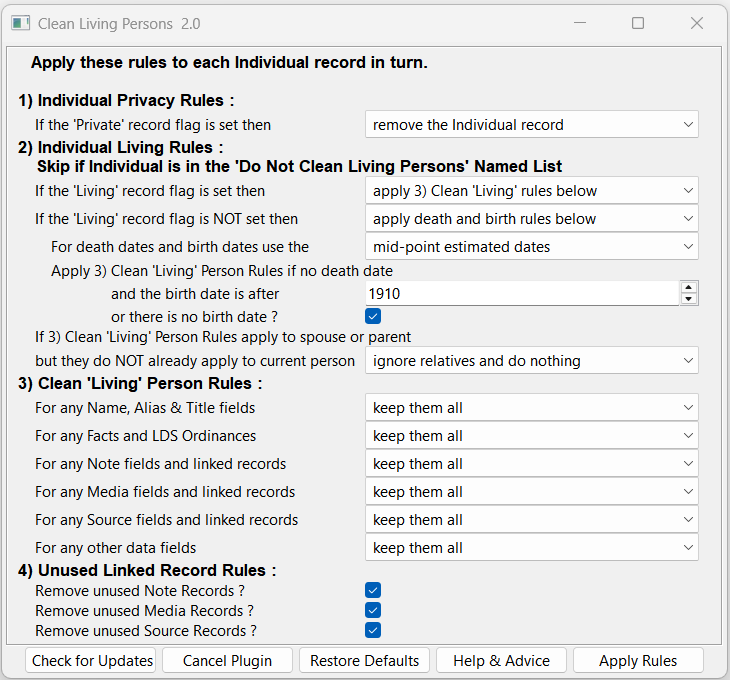
Use File > Import/Export > Export > GEDCOM File beforehand, and run this Plugin on the exported GEDCOM file. The settings are saved globally and applied by default to every GEDCOM file.
The FHUG Knowledge Base Exporting a Family Tree with/without Media offers practical advice on how to Export to Website Without Sensitive Data using that technique.
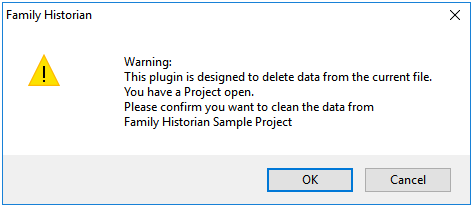
If this plugin is run on a Project then a warning is produced, and the settings saved separately for each Project.
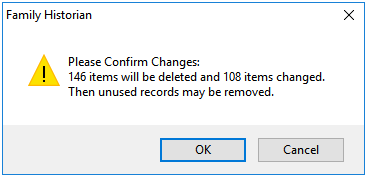
After applying the rules, there is an option to confirm whether to actually remove sensitive details or not. Also, the changes can be reversed by using Edit > Undo Plugin Updates before closing Family Historian.
Details
The rules are applied to each Individual record in turn.
1) Individual Privacy Rules
If the Private record flag is set, then the record can be removed, or treated as if the Living flag is set as below.
2) Individual Living Rules
Skip all rules if the person is listed in the Do Not Clean Living Persons Named List.
If the Living record flag is set, then the record can be treated as if the Living flag is NOT set below, or the 3) Clean ‘Living’ Person Rules applied.
If the Living record flag is NOT set, then the death date and birth date rules below can be ignored or applied.
-
- The death & birth dates can be determined using either actual close family dates, or the earliest, mid-point, or latest estimated dates derived from up to 9 generations away together with the Tools > Preferences > Estimates.
If actual close family dates are used, then rule 2. below is more likely to apply.
For any chosen cut off year, using earliest estimated dates includes fewest people, while using latest estimated dates includes the most people. - The 3) Clean ‘Living’ Person Rules can be applied if:-
- there is no death date and the birth date is after a chosen cut off year.
- there is no death date and also no birth date, either actual or estimated due to a lack of dated facts.
- The death & birth dates can be determined using either actual close family dates, or the earliest, mid-point, or latest estimated dates derived from up to 9 generations away together with the Tools > Preferences > Estimates.
If the 3) Clean ‘Living’ Person Rules apply to a spouse of a parent of the current person, but do NOT already apply to the current person, then those rules can be forced on this person, so the whole family is desensitised.
This can apply when the current person is dead OR is alive and the preceding no death date rules are inhibited, such as when the born after cut off year is large, or the no death date and no birth date rule is disabled.
3) Clean ‘Living’ Person Rules
For any Name, Alias & Title fields, the Primary Name can be desensitised in various ways, and any sub-fields such as Nickname, and any Alternate Name, Alias, or Title fields removed completely.
For any Events, Attributes, or LDS Ordinances, various details can be removed with the optional exception of some fields.
For any Note, or Media, or Source fields and linked records, the fields can be kept or removed, and linked records just unlinked or completely deleted even if linked to unaffected people, etc.
For any other data fields, they can be removed with the exception of the Sex field and Family record links.
4) Unused Linked Record Rules
Any unused Note Records, or Media Records, or Source Records with 0 Links can be removed.
Error Messages
While deriving death & birth dates, any problematic Date fields will be reported as a Get Day Number issue for the following reasons:
- The date is marked as B.C.
- The date uses a Julian, Hebrew, or French calendar
- The date is 3 – 13 Sep 1752 or 5 – 14 Oct 1582 that is skipped when switching Julian to Gregorian calendar
It asks “SHOULD ALL SIMILAR ERRORS STILL BE REPORTED?” to allow subsequent occurrences to be skipped.
Help content on this page is owned and provided by Mike Tate, the plugin's author, Calico Pie takes no responsibility for its content.