
Add Trees draws a three-generation navigation chart for each individual you select: their parents, siblings, spouses or partners, and children. Each chart is saved as an SVG file, and can also be embedded in that person’s page of a website generated by Family Historian. Boxes link to the pages of relatives included in the same run, so visitors can move around the family from chart to chart.
Choose from Wide or Compact layouts, box shapes and fonts, and colour schemes including High Contrast and one that follows your Windows theme. Colour and shape can show each person’s sex or their relationship to the central person, and you can save your own colours as themes. Privacy follows your website settings: people flagged Private are left out, and those flagged Living are shown without dates. A preview shows your settings before you generate anything, and you’re asked to confirm before any website page is changed.
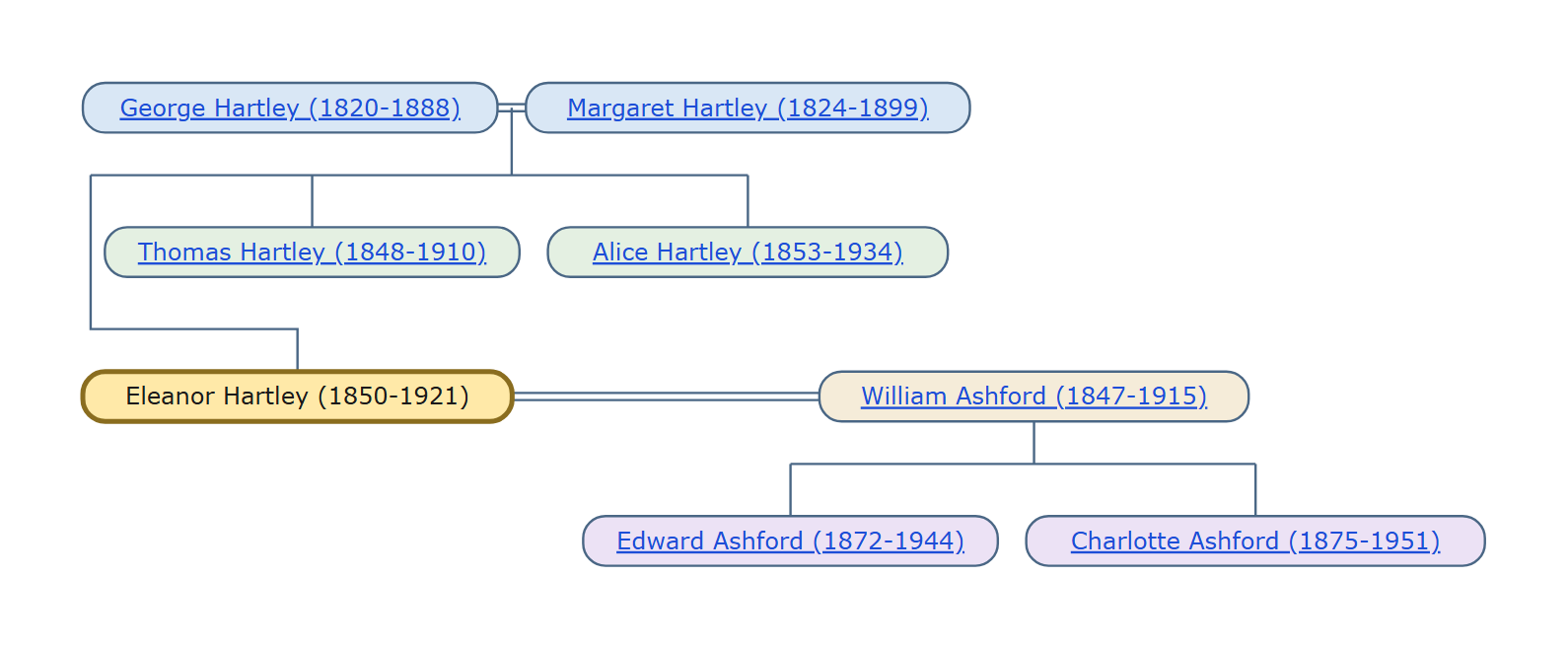
- Family Historian Version(s): V7 V8
- Plugin Type: Standard
- Written by colevalleygirl
- View Source Code
- Downloaded 4 times
- See Help page for more information
Version History
1.0 Initial release
Helen, the link to ‘View Source Code’ appears to be not working
Paul, should be fixed now — it was a store wide problem, not just my plugin.
I downloaded the plugin and installed it without a problem. After running it a few times, I got it to update my Package website pages, and it works like a dream. In fact I think it is more ‘end user friendly’ that the fh code that it substitutes. I will have to modify my processes to include the step of running the plugin. Current website indi count is over 40,000, so it does take a bit of time to run through the whole ‘rebuild’ process, but the result is well worth the wait!.
Well Done!
Glad you like it.