
Moves any number of sources from one source template to another in a single run, carrying their details across as it goes, including the details filled in on each of their citations, such as a page or entry number.
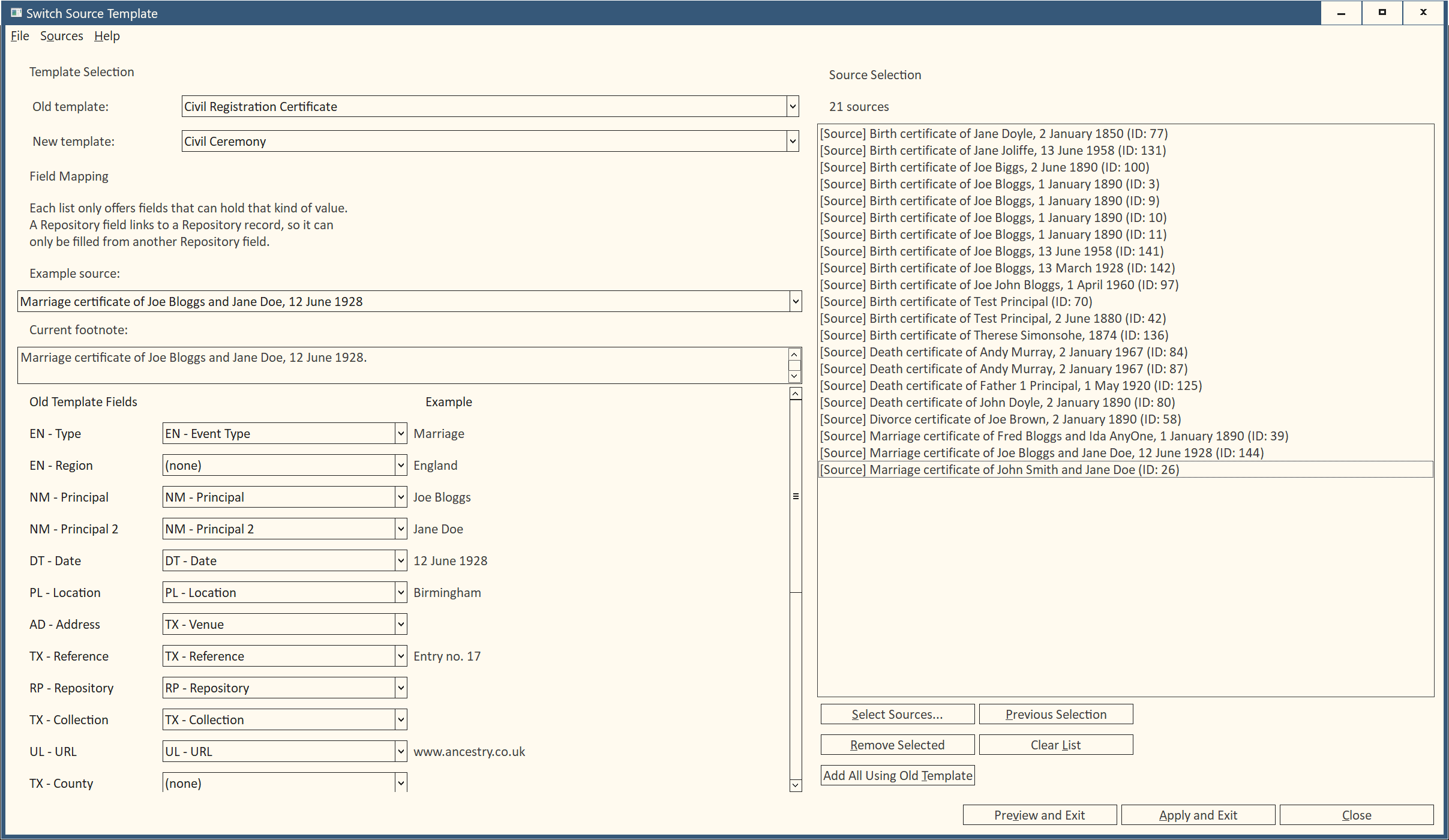
Choose the old and new templates, then match their fields in a simple grid. Fields with the same name and type are matched for you, and each list only offers fields that can hold the value, so a date can’t end up in a repository link. To help you check the matches, the grid shows a real value from one of your sources beside each field, what each new field will receive, and how Family Historian cites that source now.
Preview shows exactly what will happen before anything changes: what happens to each source, how one of its citations reads, and every value that will be left without a field. Apply asks once, makes the changes and shows how each citation reads after the switch. Nothing is thrown away. Values with nowhere to go are kept for you to deal with, automatic titles are rebuilt in the new template’s style, titles you typed yourself are left alone, and Edit > Undo Plugin Updates reverses a whole run.
Your last templates, field mapping and sources are remembered for each project, so a Preview followed by an Apply needs no redoing.
Best suited to people who are comfortable with how source templates work.
Download Switch Source Template V1.3.1
- Family Historian Version(s): V8
- Plugin Type: Standard
- Written by colevalleygirl
- View Source Code
- Downloaded 1 times
- See Help page for more information
Version History
Version 1.3.1 First public release
Leave a Reply