
Introduction
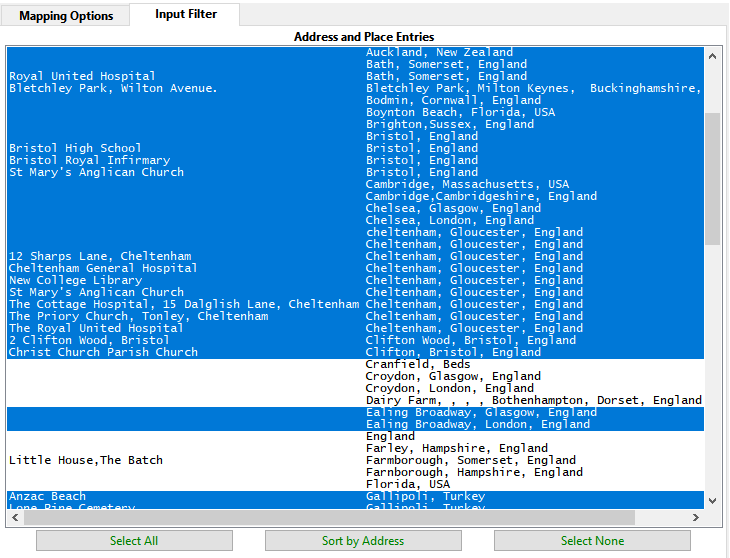
This tab allows a subset of Address and Place pairs to be chosen for re-arrangement.
Any Place records can be selected before running the plugin to preset this Input Filter tab. The Place records may be selected via the Records Window, a Named List, or a Query Result Set.
Use the standard techniques for selecting from a list of items to preselect Place records and to select Input Filter rows.
Select one item then hold Shift key and select another item to choose the intervening range of items.
Hold the Ctrl key and select an item to add or remove individual items.
The Select All and Select None buttons are self-explanatory.
The Sort by Address or Sort by Place button alters the order of the items.
Return to the Rearrange Address and Place Parts main help page.
Plugin Rearrange Address and Place Parts
Help content on this page is owned and provided by Mike Tate, the plugin's author, Calico Pie takes no responsibility for its content.