
The Omit Non-Duplicates tab lists the pairs of candidate Duplicates in the Result Set Entries and allows any to be moved to the Non-Duplicates List, which will be excluded from any subsequently displayed Result Set.
Use the Move All button to simply move all entries. Otherwise, use the Select All and Select None buttons, together with the usual Shft or Ctrl keys and left-mouse clicks to select the entries, then use the Move Selected button.
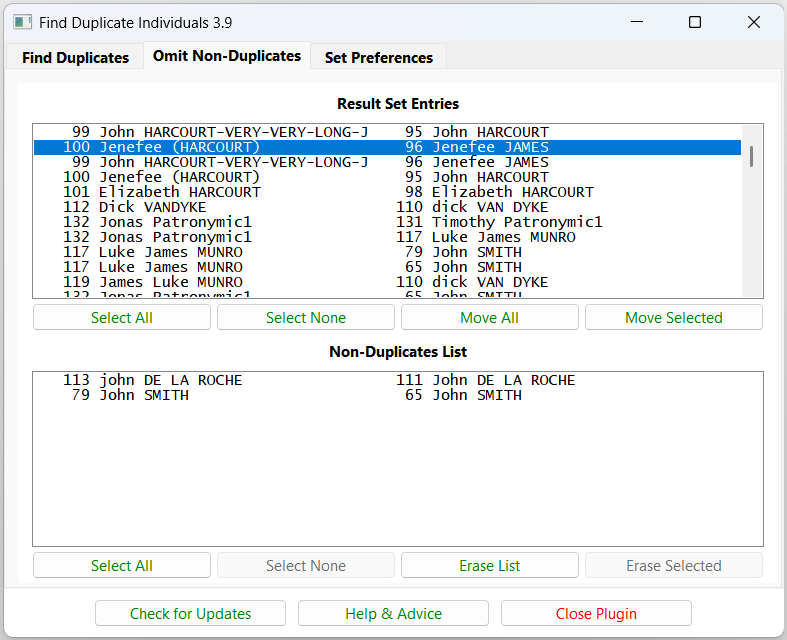
Similarly, any entries in the Non-Duplicates List may be selectively removed and returned to the Result Set Entries.
The Erase List and Erase Selected buttons with all entries selected have a confirmation pop-up to avoid accidental total erasure.

Return to the Find Duplicate Individuals main help page.
Plugin Find Duplicate Individuals
Help content on this page is owned and provided by Mike Tate, the plugin's author, Calico Pie takes no responsibility for its content.