
Introduction
Within the free trial 3 month period the full billing account needs to be activated to continue using Google Maps.
Details
In the main Google Maps Platform window it shows the free trial status across the top with an Activate button on the right.
Click that Activate button and in the Activate your full account popup click Activate again.

In the Your full account was activated successfully popup click the set a budget alert link to set warnings as shown below.
Budget Alerts
These should only be necessary if you risk exceeding the free quotas.
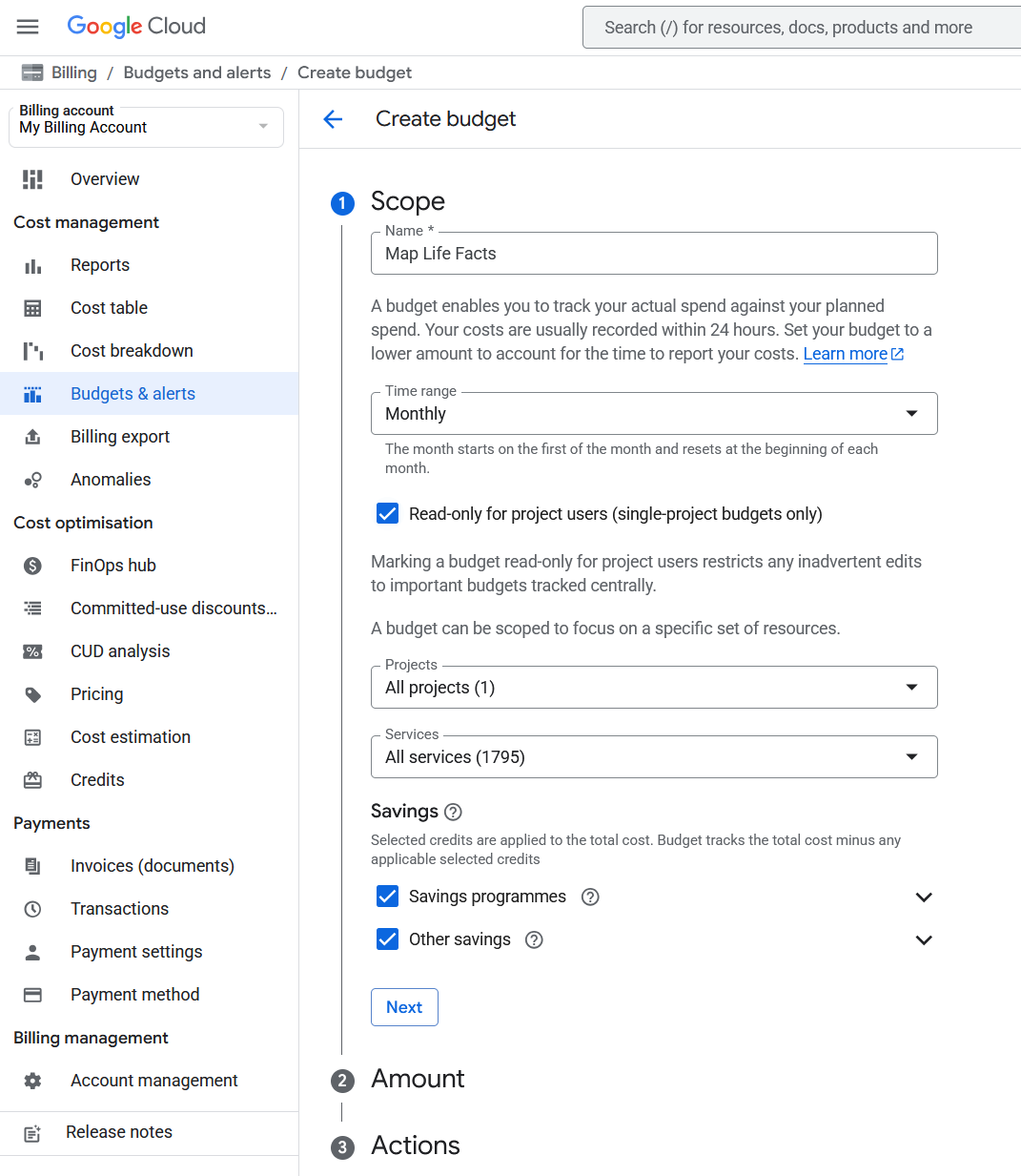
From the Google Cloud window select Billing and then Budgets & alerts from its menu and click the Create budget link.
Enter the Scope options as per the screenshot below and click the Next button.
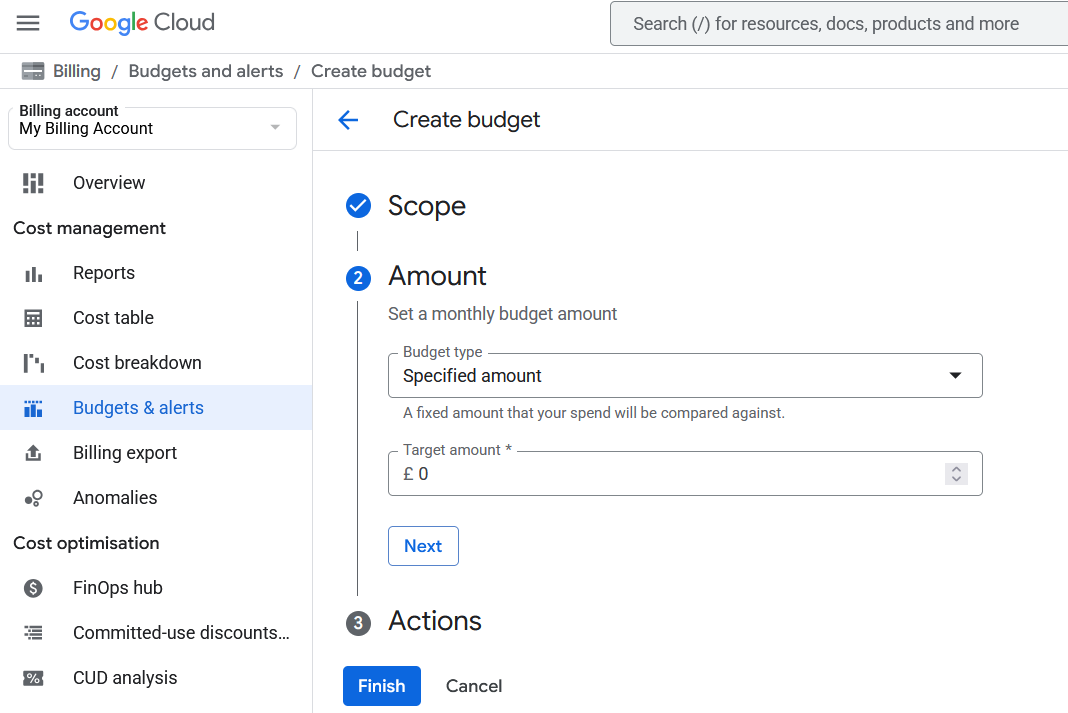
Enter the Amount options Budget type as Specified amount and Target amount of £0 then click the Next button.
Enter the Actions options but its defaults seem OK so click the Finish button.
Finally click the Continue button.

Now return to the Geocoding and Mapping ~ Google Maps API Key section.
Plugin Map Life Facts
Help content on this page is owned and provided by Mike Tate, the plugin's author, Calico Pie takes no responsibility for its content.