
Introduction
To get an API Key, it is necessary to create a Google Billing Account with a debit/credit card, but it should never be charged, because there is free credit per month, and API limits and budget alerts prevent exceeding that credit.
Details
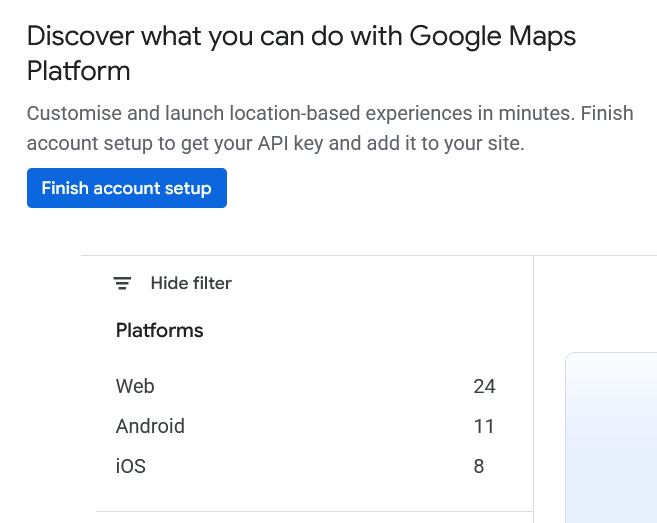
In the main Google Maps Platform window click the Finish account setup button.
In the Save more with a subscription plan popup select Pay as you go on the right and click the Continue button to proceed to Steps 1 and 2 below.
That will start a 3 month free trial and during that time you must activate this account.

In the Step 1 of 2 Account Information select your Country and click the Agree & continue button.

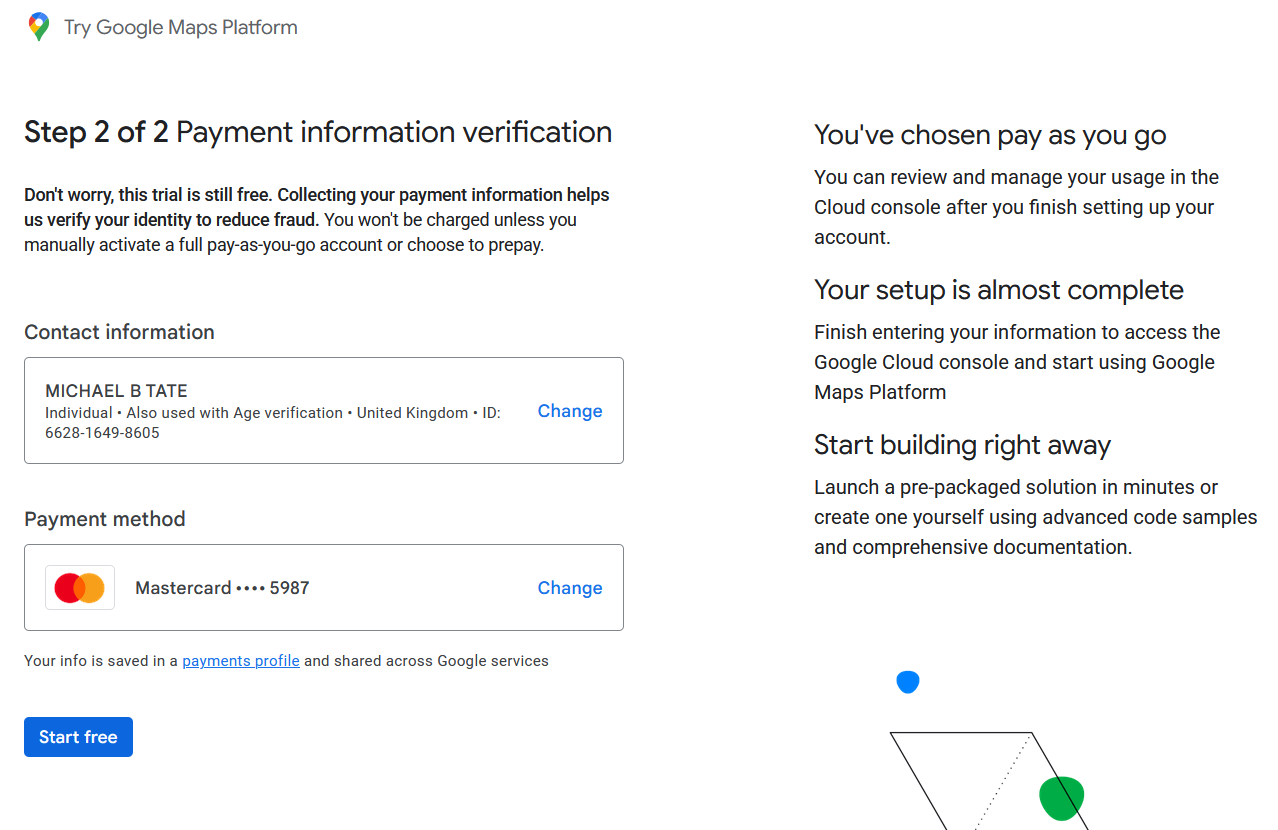
In the Step 2 of 2 Payment information verification enter your Contact information and Payment method credit/debit card details, then click the Start free button.
In the Verify that it’s you popup click the Continue button and verify your credit/debit card with the card issuer.
In the Welcome popup click the Skip for now link again.
In future to manage the Billing Account, open the Google Cloud Platform home page and click Billing from the menu on the left and choose Payment method.
Every month Google Payments payments-noreply@google.com will send a Google Cloud Platform & APIs Email with an attached PDF invoice for £0.00 and giving details of usage counts.
The next step is to Get Personal API Key, or return to the Geocoding and Mapping ~ Google Maps API Key section.
Plugin Map Life Facts
Help content on this page is owned and provided by Mike Tate, the plugin's author, Calico Pie takes no responsibility for its content.