
Save Your API Key
After creating the Billing Account, a Get started on Google Maps Platform popup shows Your API Key as a 39 character alphanumeric code.
This API Key must be copied to the plugin Set Preference Options tab, Location Plot Options tab, Google Maps Key field.
Then Close Plugin and run it again to ensure the new API Key is applied to all Google Maps features.
If the API Key does not enable features then probably the Billing Account has not been created satisfactorily.
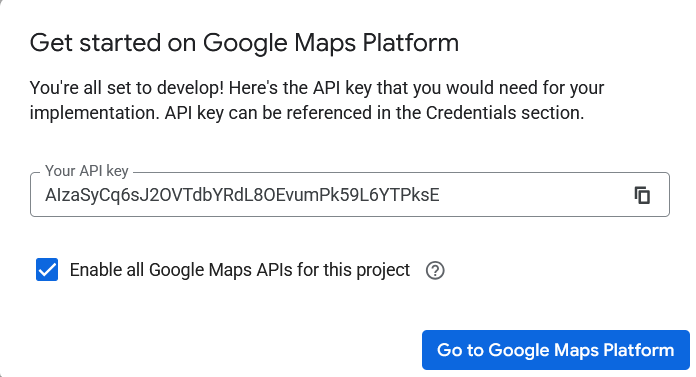
Leave the Enable all Google Maps APIs for this project option ticked and adjust them as below, then click the Go to Google Maps Platform button.
Protect Your API Key
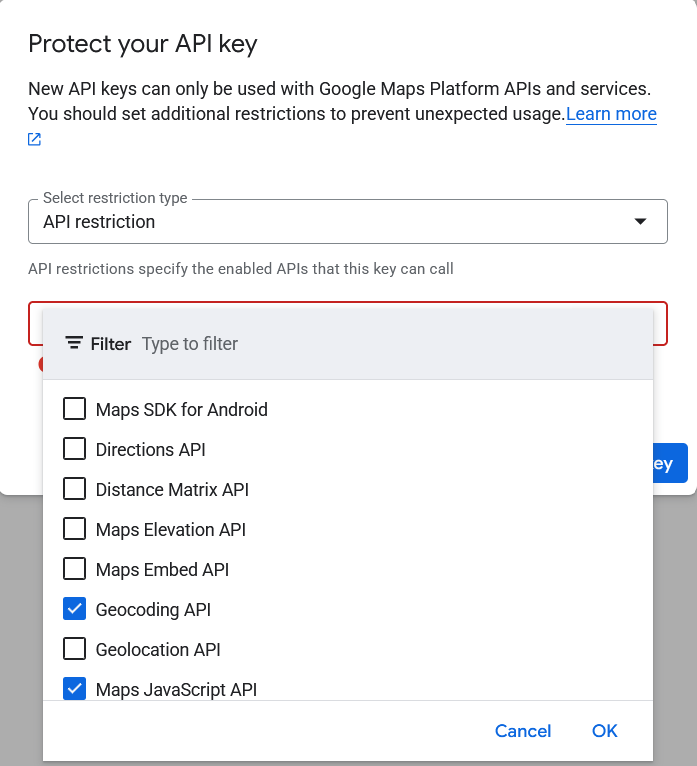
The are many API but ensure at least the Geocoding API and Maps JavaScript API are enabled for this plugin as explained below.
Restricting the API helps to prevent unauthorised use of your API Key.
In the Protect your API key popup, keep Select restriction type as API restriction.
Then from the Select Maps APIs drop list tick Geocoding API and Maps JavaScript API then click the OK button.
Other API such as Maps SDK may be needed for displaying Google Maps in Android or iOS based devices.
Click the Restrict key button.
Create & Edit API Key
If the API Key gets compromised or other adjustments are required then the Keys and credentials features need to be used.
In the main Google Maps Platform window select Keys and credentials from the menu on the left.
Use the + Create credentials link at the top and choose API Key to create a new key.
The old API Key will remain active for 24 hours and should then be deleted.
Use the menu to right of the API Key line to Show key, Edit API Key or Delete API Key.
Google Maps Platform Console
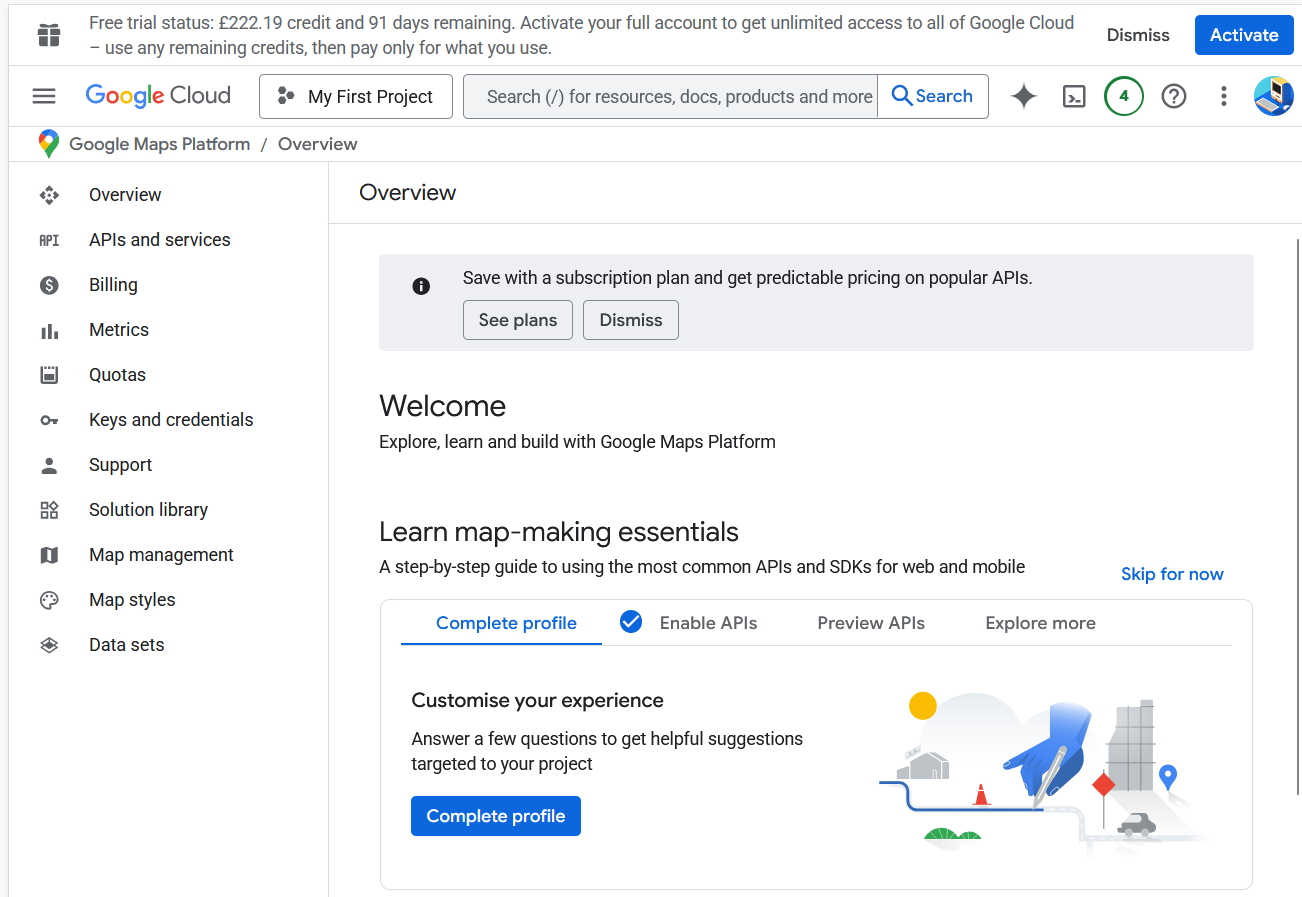
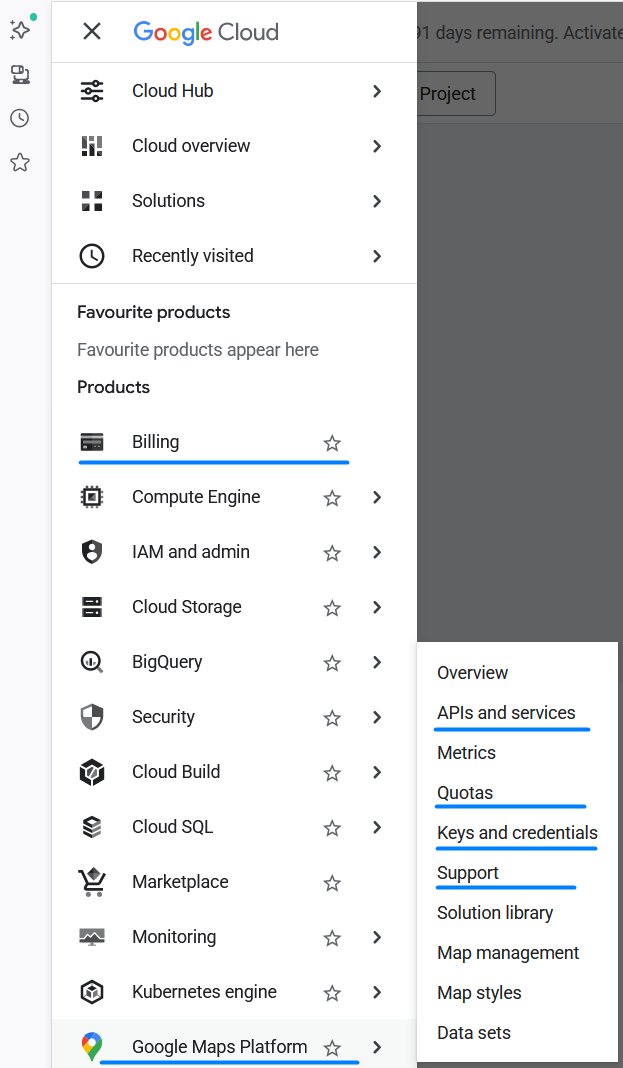
In the Google Cloud Welcome window use Quick access links or 3 bars ‘hamburger’ menu on the left as necessary.
In future visit this page to obtain the same menu and investigate the options, but in particular:
-
- Billing ~ Lists your current plan which normally is Pay as you go.
- Google Maps Platform >
- APIs and services ~ Lists the APIs available but only Geocoding API and Maps JavaScript API are essential.
- Quotas ~ Lists limits for each API but none seem to be adjustable.
- Keys and credentials ~ Shows your Maps Platform API Key for each enabled API and allows new credentials to be created.
- Support ~ Lists user guides for topics.
The next step is to Activate Billing Account, or return to the Geocoding and Mapping ~ Google Maps API Key section.
Plugin Map Life Facts
Help content on this page is owned and provided by Mike Tate, the plugin's author, Calico Pie takes no responsibility for its content.