
Introduction
If you already use a Google product such as Gmail, then you have a Google Account. If not sure, you can check by visiting the Google Account Recovery page, and entering any email address you think you might have used to create a Google Account.
If you already have a free Google Account then skip the following steps.
Details
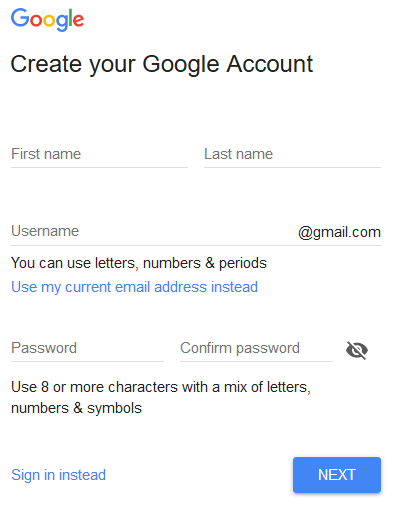
To create a free Google Account open the Create your Google Account page and enter the details like most other online accounts.
Enter your First name and Last name.
Enter a Username if you wish to create a matching Gmail Account.
Otherwise, click Use my current email address instead to use any existing Email address.
Create and confirm a new Password for this account.
Click NEXT and complete further required details such as gender, birthday, mobile phone number, etc.
From https://www.google.co.uk/ you can Sign out from or Sign in to the account at any time and adjust the settings as required.
Plugin Map Life Facts
Help content on this page is owned and provided by Mike Tate, the plugin's author, Calico Pie takes no responsibility for its content.