
To obtain a free Geoapify API Key visit the Geoapify Location Platform and follow the GET STARTED advice to use the LOG IN / SIGN UP button top right.
The easiest method is to use a free Google Account or Facebook Account, which you may already have, and avoids the Email verification step.
See the Create Google Account advice on creating or recovering a Google Account.
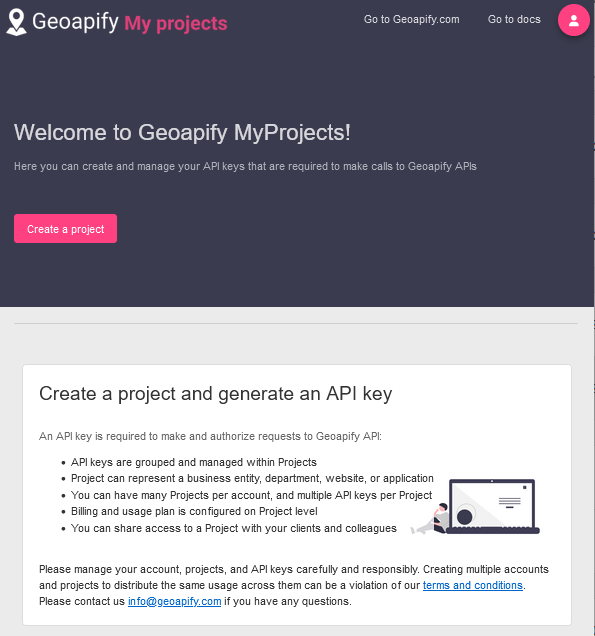
Then click on My Projects and Create a project using the name Map Life Facts.
Select API keys and under API keys use Copy to clipboard to paste the 32 characters into the plugin Set Preference Options tab, Location Plot Options tab, Geoapify Key box.
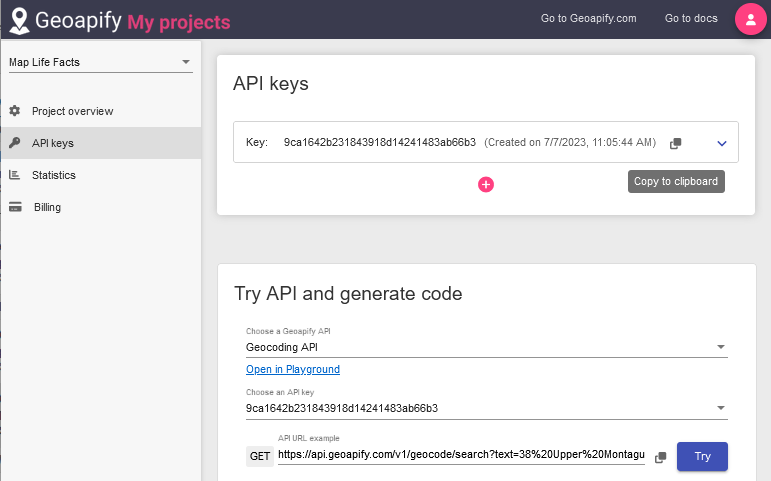
If you wish you can Choose a Geoapify API as Geocoding API but it is not essential.
The Geoapify geocoding API service supports 3,000 plots per day for free.
The Google Account does NOT need to remain signed in.
Finally, Close Plugin and run it again to ensure the new API Key is applied to the Geoapify features.
Return to the Geocoding and Mapping help page.
Plugin Map Life Facts
Help content on this page is owned and provided by Mike Tate, the plugin's author, Calico Pie takes no responsibility for its content.