
Introduction
The Google Maps style of map is free but needs a Google Maps API Key that is valid & enabled in the Location Plot Options tab.
It can be used in conjunction with the Geocoding and Mapping features to produce webpage map files, but cannot appear in the plugin map pane because the Internet Explorer shell used by the map pane is not supported. However, static Google Maps style maps are available as layer options in Leaflet Maps mode.
Beware that the current Geocoder API Key exists for webpage map files within the mapfacts.js file, so it may be stolen and used by others. If that is of concern, then use Leaflet Maps mode instead for webpage map files. Only one map file needs to be updated for all files to be modified.
Details
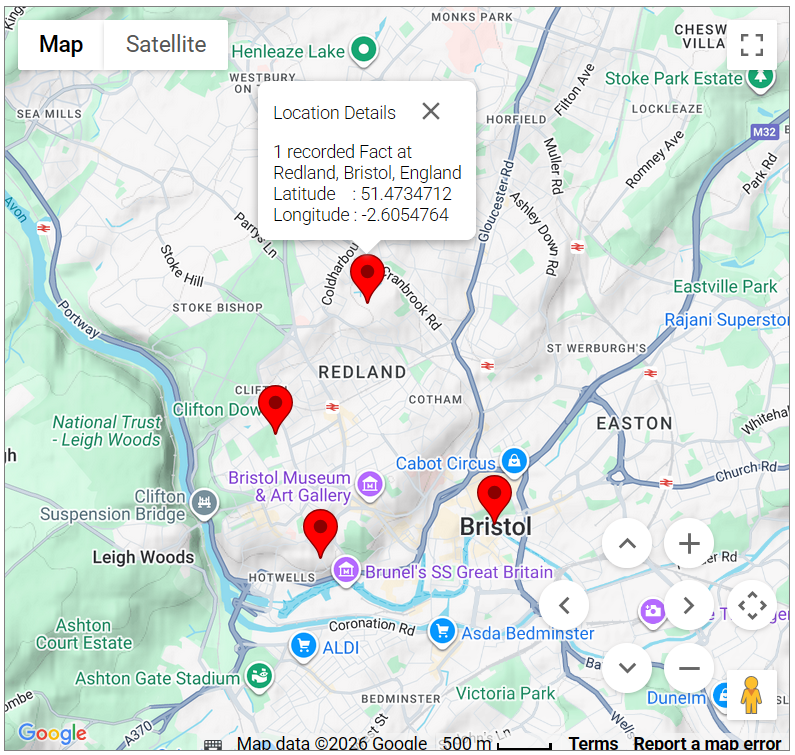
Google Maps have the following features:
- Click Map to Show street map optionally with Terrain, or Satellite to Show satellite imagery optionally with Labels for streets.
- The Toggle fullscreen view icon top right switches to full browser window mode.
- Click the Map camera controls icon lower right to show/hide the zoom & pan controls.
Click + Zoom in and – Zoom out to alter the scale as shown on the bottom margin.
Click the Move up, Move down, Move left, Move right arrows to pan the map. - Drag anywhere on the background to pan the map.
- Drag & drop the orange man bottom right to enter Google Street View.
- Hover the cursor over any Marker to show a tooltip Caption of the location name.
- Click on any Marker to show a Popup box of the fact & location details.
- Drag & drop any Marker to temporarily separate coincident Markers or reveal details.
Return to the Map Life Facts main help page.
Plugin Map Life Facts
Help content on this page is owned and provided by Mike Tate, the plugin's author, Calico Pie takes no responsibility for its content.